
Healthcare organizations rely on cloud platforms like AWS, Azure, and GCP to protect sensitive patient data and maintain uptime during security incidents. Each provider offers distinct tools and approaches for incident response, making the choice dependent on your organization's priorities. Here's a quick breakdown:
- AWS: Strong in multi-cloud setups with tools like GuardDuty, Security Hub, and CloudTrail for detection, logging, and automation. Offers extensive HIPAA-eligible services and fast access to incident response engineers.
- Azure: Best for Microsoft-centric environments. Integrates with tools like Microsoft Sentinel and Defender XDR, providing seamless workflows and identity management through Entra ID.
- GCP: Focuses on analytics-heavy tasks with AI-driven tools like Security Command Center and Chronicle SOAR. Strong in managing containerized workloads and large-scale data pipelines.
Quick Comparison
| Feature | AWS | Azure | GCP |
|---|---|---|---|
| Detection | GuardDuty | Microsoft Defender | Security Command Center |
| Logging | CloudTrail | Azure Activity Log | Cloud Audit Logs |
| Default Log Retention | 90 days | 90 days | 400 days (Admin) / 30 days (Data) |
| SIEM/SOAR | Security Hub / Incident Manager | Microsoft Sentinel | Chronicle SOAR |
| Identity Management | IAM | Entra ID | Cloud IAM / Service Accounts |
| Compliance | 166+ HIPAA-eligible services | NIST SP 800-61 aligned | HIPAA-compliant tools |
The best platform depends on your needs:
- Choose AWS for flexibility in multi-cloud operations.
- Opt for Azure if you're deeply tied to the Microsoft ecosystem.
- Pick GCP for advanced analytics and containerized workloads.
The right cloud provider ensures faster response times, better compliance, and minimal impact on healthcare operations. Implementing a unified risk operations strategy further strengthens this resilience.
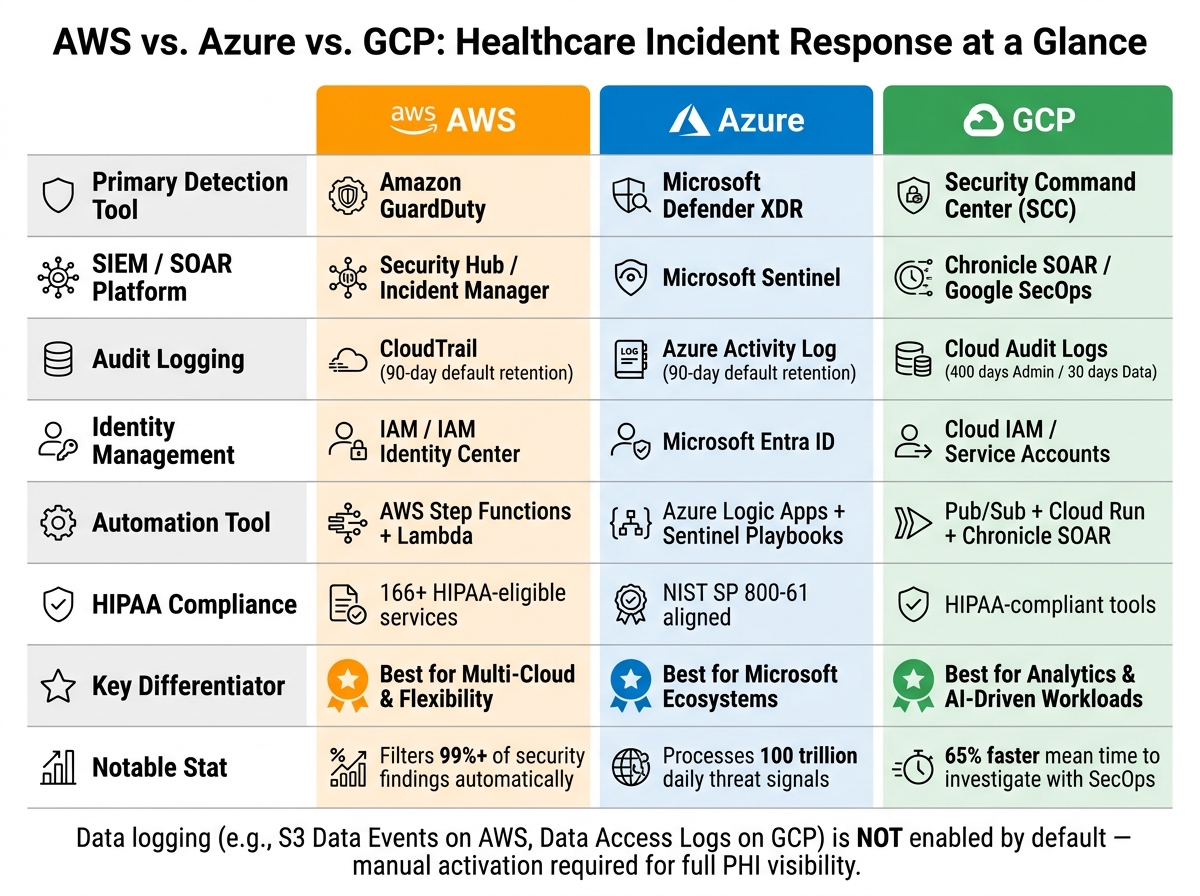
AWS vs. Azure vs. GCP: Healthcare Incident Response Comparison
HIPAA in the Cloud: GCP vs AWS vs Azure - Who Leads in 2026?
sbb-itb-535baee
AWS Incident Response Capabilities for Healthcare
AWS offers a robust security ecosystem tailored to healthcare organizations, combining a wide range of services with automation to meet the demanding speed and compliance requirements of healthcare incident response.
Key Tools: GuardDuty, Security Hub, and CloudTrail
AWS provides a suite of native tools that cover the full spectrum of incident response, from detection to investigation. Amazon GuardDuty continuously monitors for threats using AI and behavioral analysis across EC2, EKS, Lambda, S3, and RDS workloads. It processes over 1 trillion Amazon S3 events daily, enabling swift detection of unauthorized access to protected health information (PHI) [8].
AWS Security Hub acts as a centralized management layer, aggregating findings from GuardDuty, Inspector, Macie, and third-party tools. It also runs automated compliance checks to ensure adherence to security best practices [9]. Meanwhile, AWS CloudTrail provides a comprehensive log of API activity across your environment, creating the audit trail that regulators and forensic teams rely on during breach investigations [11]. Adding to this, Amazon Macie uses machine learning to identify and tag sensitive data, such as PHI and personally identifiable information (PII), at scale.
"With Macie at the solution's core, we can reduce the footprint on our sensitive data. By reducing PII data, we can open up data access to our analysts while reducing exposure." - Aaron Miller, Principal Engineer, Expedia Group [9]
| Tool | Primary Function in Healthcare IR | Key Benefit |
|---|---|---|
| GuardDuty | Intelligent Threat Detection | Detects anomalies in PHI storage access |
| Security Hub | Centralized Finding Management | Automates HIPAA/HITRUST compliance monitoring |
| CloudTrail | Audit Logging & Activity Tracking | Provides audit trails for regulatory reviews |
| Macie | Sensitive Data Discovery | Identifies and protects PII/PHI at scale |
| Detective | Security Investigation | Visualizes relationships for root cause analysis |
These tools integrate seamlessly with AWS's automated containment workflows, ensuring a streamlined response process.
Incident Containment Workflows in AWS
AWS leverages automation and account isolation to contain incidents quickly, protecting sensitive patient data. For example, AWS Lambda functions, triggered by resource tags like SecurityIncidentStatus: Analyze, can automatically isolate an instance, capture memory, and create disk snapshots. This tag-based approach is crucial for safeguarding healthcare data, where response speed is critical.
A multi-account strategy enhances containment efforts. AWS recommends using a dedicated "Security" account for automation and alerting, alongside a separate "Forensics" account for storing investigation artifacts. This setup minimizes the potential impact of a breach and ensures that threat actors cannot disrupt ongoing investigations [11][13]. Forensic data, such as disk images and memory dumps, is collected using AWS Step Functions and Lambda and stored in encrypted S3 buckets within the forensics account to meet data residency requirements.
The AWS Security Incident Response service automates triage, filtering out over 99% of security findings and escalating only the most critical events [10]. Healthcare SOC teams can predefine containment preferences - such as "Contain Confirmed" or "Contain Suspected" - enabling AWS to act swiftly on compromised resources during high-pressure situations [12].
AWS Strengths in Healthcare Environments
Beyond detection and containment, AWS excels in compliance, offering over 166 HIPAA-eligible services [6]. This extensive range simplifies the process of building or expanding clinical workloads while reducing the complexity of signing Business Associate Agreements across a distributed architecture. This complexity often extends to third-party risk management for external vendors.
Another standout feature is the 24/7 access to AWS Security Incident Response engineers, who can respond within minutes [10]. For healthcare organizations with limited in-house security expertise, this immediate access to specialized support can be the difference between quickly containing an incident and dealing with a prolonged breach. Additionally, Isolated Recovery Environments (IREs) provide a safeguard against ransomware attacks, offering air-gapped, physically isolated backups designed to protect electronic health record (EHR) systems [6]. Together, these capabilities create a secure and resilient foundation for healthcare's most critical systems.
Azure Incident Response Capabilities for Healthcare
Azure offers a strong incident response framework tailored for healthcare organizations operating within the Microsoft ecosystem. Its integrated security tools and automation features enable fast, coordinated responses to threats, which is especially critical in healthcare environments where system downtime can have serious consequences.
Key Tools: Microsoft Defender, Sentinel, and Entra ID
Microsoft Defender XDR consolidates alerts from various sources like endpoints, identities, email, and cloud applications into clear incidents [5][2]. Its "Attack Disruption" feature automatically mitigates threats based on high-confidence signals [2]. This is particularly valuable in healthcare, where ransomware and other threats can quickly disrupt essential services. This disruption often extends to medical device cyber risk, requiring specialized management strategies.
Microsoft Sentinel, Azure’s cloud-native SIEM and SOAR platform, provides advanced tools for investigating and managing threats. Features like interactive investigation graphs and KQL-based threat hunting allow teams to analyze up to 30 days of data [2][14]. Sentinel’s "Similar incidents" widget also surfaces the 20 most relevant historical events, making it easier to triage and respond during critical moments [14].
Microsoft Entra ID plays a key role in managing compromised identities. It can disable accounts, reset credentials, or revoke access through Privileged Identity Management (PIM) [5][2]. In healthcare, where sensitive data is at stake, rapid containment of compromised accounts is essential.
| Tool | Primary Function | Key Incident Response Capability |
|---|---|---|
| Microsoft Sentinel | SIEM / SOAR | Centralized log analytics, investigation graphs, and automated playbooks [5][15] |
| Microsoft Defender XDR | Extended Detection & Response | Cross-signal correlation and automated attack disruption [2] |
| Microsoft Entra ID | Identity & Access Management | Risky user detection, session revocation, and conditional access blocking [5][2] |
| Defender for Cloud | Cloud Workload Protection | Alerts for servers, storage, and Key Vault [5][2] |
| Azure Logic Apps | Workflow Automation | Automates containment actions and stakeholder notifications [5][7] |
Automation and Hybrid Integration in Azure
Azure’s automation capabilities, powered by Logic Apps and Sentinel Playbooks, enable rapid responses by automating containment tasks like isolating virtual machines, blocking malicious IPs, and generating IT tickets [5][7][15]. This reduces response times from hours to minutes, a critical advantage in healthcare.
Sentinel’s Automation Rules offer centralized control over incident management. These rules allow SOC managers to suppress low-priority alerts during maintenance or coordinate tasks across multiple analytics rules [17]. The "Incident Tasks" feature helps healthcare teams follow HIPAA-mandated response steps consistently, even during high-pressure situations [14][17].
Azure also integrates seamlessly with Microsoft 365 and Teams, enabling responders to share live investigation threads directly within Teams channels. This keeps clinical, legal, and security teams aligned in real time [16][2].
Azure Strengths for Healthcare Organizations
Azure’s integration with the broader Microsoft ecosystem is a major advantage for healthcare organizations. For those already using Microsoft 365, Teams, and Active Directory, extending these tools into security operations is straightforward and efficient.
From a compliance standpoint, Azure’s incident response framework aligns with NIST SP 800-61 and the Microsoft Cloud Security Benchmark, which map to CIS Controls v8 and NIST SP 800-53 [5][7]. This alignment simplifies the process of demonstrating HIPAA compliance during breach investigations. Additionally, Azure supports regulatory retention requirements by allowing evidence - such as VM snapshots, system logs, and network packet captures - to be stored in Azure Storage with immutable policies and legal holds [5][7].
Azure’s security platform benefits from Microsoft’s vast threat intelligence capabilities, processing 100 trillion daily signals and supported by a team of over 10,000 security researchers [18]. For healthcare organizations requiring external assistance during major incidents, Microsoft Incident Response experts are available in over 190 countries and can deploy quickly [18].
These features position Azure as a strong contender for healthcare organizations seeking robust incident response solutions, setting the stage for comparisons with AWS and GCP.
GCP Incident Response Capabilities for Healthcare
When it comes to managing multi-cloud incident response in healthcare, Google Cloud Platform (GCP) stands out with its focus on analytics, AI-driven automation, and layered detection strategies. These features are tailored to handle the complexities of containerized workloads and large-scale patient data pipelines.
Key Tools: Security Command Center, Cloud Logging, and VPC Service Controls
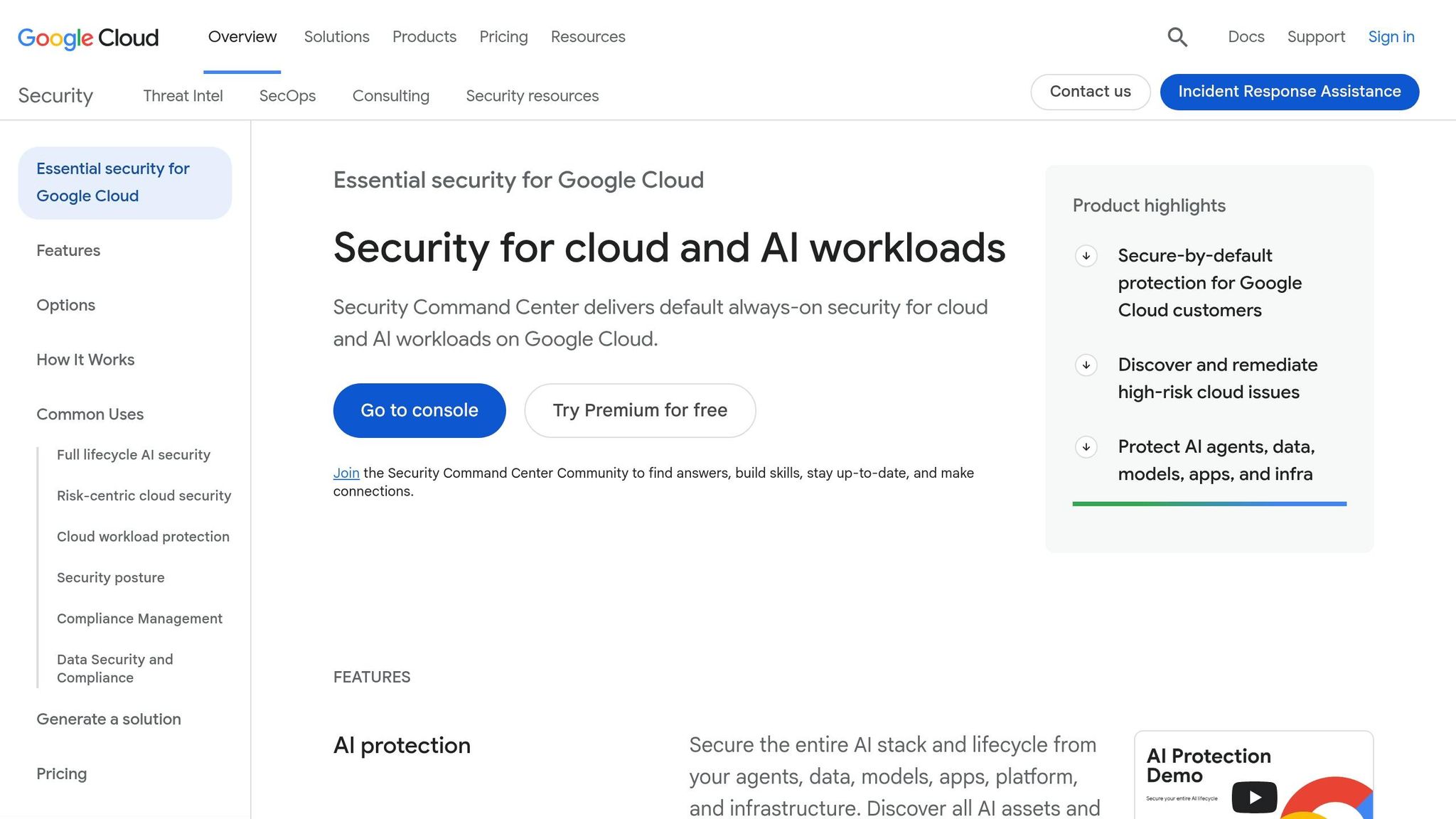
At the heart of GCP’s security offerings is the Security Command Center (SCC), a centralized platform for threat detection, vulnerability management, and compliance tracking. It’s designed to help healthcare organizations maintain compliance with frameworks like HIPAA and NIST by consolidating findings into a single, easy-to-navigate view.
GCP’s detection strategy leverages three distinct layers:
| Detection Layer | Service | Monitored Elements |
|---|---|---|
| Log-based | Event Threat Detection | Monitors Cloud Audit Logs, VPC Flow Logs, and DNS logs to detect unauthorized API calls and identity-based threats |
| Agentless | VM Threat Detection | Scans Compute Engine VMs at the hypervisor level to identify rootkits and cryptominers without affecting system performance |
| Runtime | Container Threat Detection | Focuses on GKE nodes and Cloud Run workloads to catch issues like reverse shells or malicious binary executions |
What makes VM Threat Detection particularly relevant in healthcare is its agentless design. By operating at the hypervisor level, it avoids consuming guest system resources, ensuring that critical healthcare applications remain unaffected.
Meanwhile, VPC Service Controls add an extra layer of protection for sensitive data, such as BigQuery datasets and Cloud SQL instances. SCC includes detectors that flag potential PHI (Protected Health Information) exfiltration attempts, such as data being exported to public Cloud Storage buckets or external BigQuery tables. If any perimeter is compromised, alerts are triggered immediately.
This layered detection system enables GCP to respond rapidly to incidents with event-driven remediation.
Event-Driven Remediation in GCP
GCP’s approach to remediation is built around automated, event-driven triggers. For example, findings from SCC Premium are logged in Cloud Logging, which then uses Pub/Sub to activate workflows in Cloud Run. This enables near-real-time responses, such as automatically stopping a VM instance compromised by cryptomining or disabling a compromised service account.
These automated responses are part of GCP’s broader strategy to streamline security operations.
Google Security Operations (SecOps)
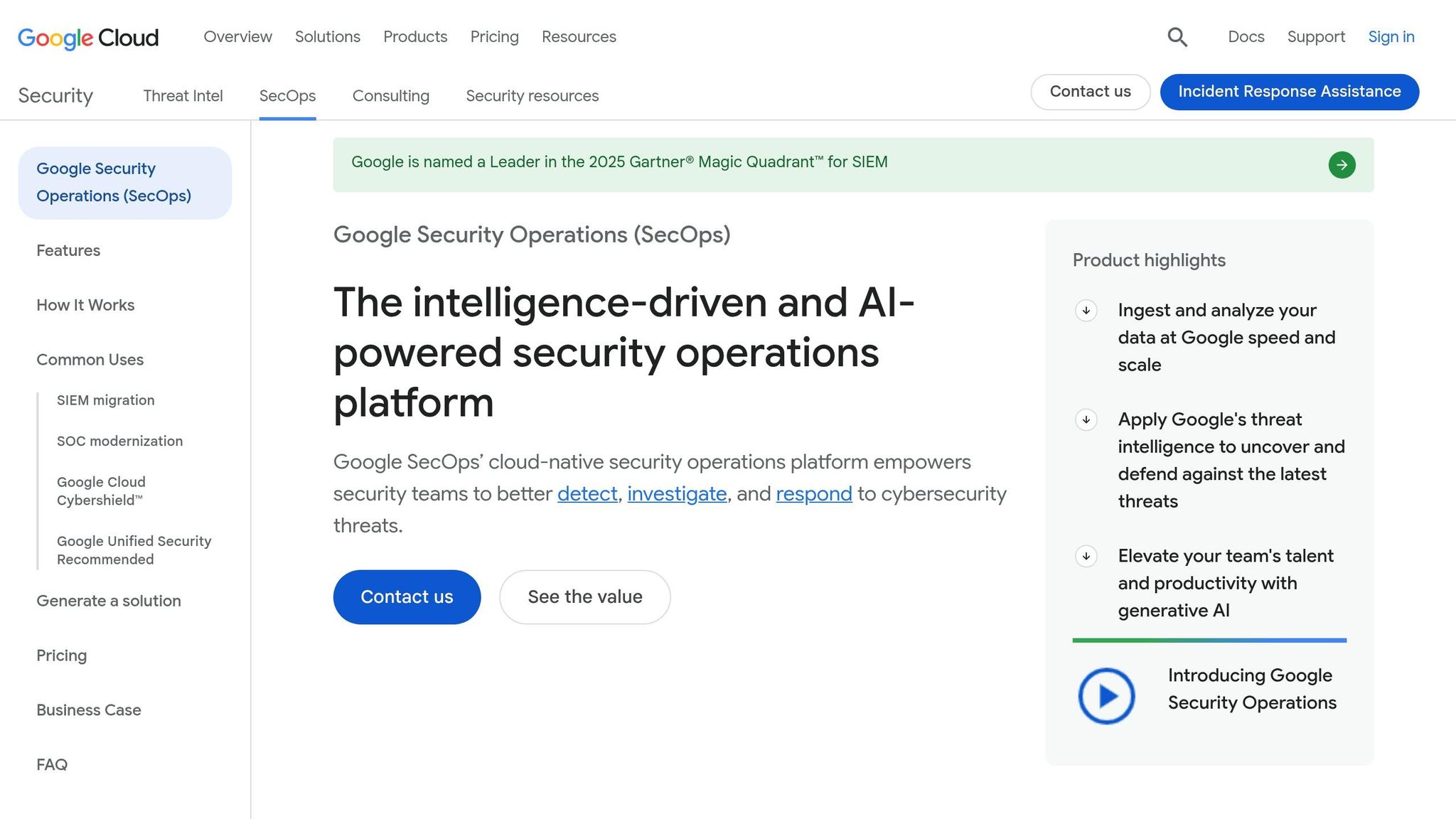
Google Security Operations (SecOps) combines SIEM and SOAR capabilities into a unified platform. With low-code playbooks, it can integrate with over 300 third-party tools, making it easier to orchestrate responses. The Enterprise tier adds Gemini AI, which enhances workflows by enabling natural language searches, summarizing cases, and offering AI-driven recommendations.
Organizations using Google SecOps have reported major efficiency gains, including a 65% faster mean time to investigate and a 50% faster mean time to respond [20].
"When we moved to Google Security Operations, we were able to reduce the time to detect and time to investigate from 2 hours to about 15 to 30 minutes." - Hector Peña, Senior Director of Information Security, Apex FinTech Solutions [19]
For healthcare organizations aiming to meet HIPAA requirements, GCP suggests a Recovery Time Objective (RTO) of 4 hours and a Recovery Point Objective (RPO) of 1 hour. These targets are achievable using features like Cloud SQL’s automated backups and Point-in-Time Recovery (PITR) [21].
GCP Strengths for Healthcare Workloads
One of GCP’s standout features is its AI-first security infrastructure. Tools like Gemini in SecOps significantly reduce the manual workload for security analysts - an important advantage for healthcare organizations that may have limited security staff. This efficiency boost is particularly noticeable in environments dealing with massive data volumes.
"With Google Security Operations, we're logging approximately 22 times the amount of data, we're seeing three times the events, and we're closing investigations in half the time." - Mike Orosz, CISO, Vertiv [19]
Another advantage is SCC Enterprise’s ability to extend beyond GCP, offering pre-built playbooks for responding to threats in AWS and Azure environments. These playbooks enhance findings from other cloud platforms and provide actionable remediation steps. This multi-cloud capability is especially useful for healthcare organizations managing diverse infrastructures.
For teams working with large datasets in BigQuery or running containerized applications on GKE, GCP’s detection and response tools are designed to meet the demands of healthcare workloads efficiently and effectively.
AWS vs. Azure vs. GCP: Side-by-Side Comparison
When it comes to healthcare incident response, understanding how each cloud platform handles detection, containment, and recovery is critical. Here's a closer look at how AWS, Azure, and GCP stack up.
Comparison Table: Detection, Logging, Automation, and Identity Control
| Capability | AWS | Azure | GCP |
|---|---|---|---|
| Primary Detection | GuardDuty | Microsoft Defender for Cloud | Security Command Center (SCC) |
| API/Audit Logging | CloudTrail | Azure Activity Log | Cloud Audit Logs |
| Default Log Retention | 90 days | 90 days | 400 days (Admin) / 30 days (Data) |
| SIEM/SOAR | Security Hub / Incident Manager | Microsoft Sentinel | Chronicle SOAR |
| Identity Tool | IAM / IAM Identity Center | Microsoft Entra ID | Cloud IAM / Service Accounts |
| Policy Enforcement | Service Control Policies (SCPs) | Azure Policy & Conditional Access | Organization Policies & IAM Deny |
| Containment Action | Revoke STS sessions, isolate EC2 via Security Groups | Revoke Entra sessions, modify NSG rules | Revoke OAuth tokens, disable Service Accounts |
| Forensic Automation | Automated disk/memory capture via Step Functions | Logic App-driven VM snapshots | Automated disk snapshots via Chronicle |
One area where all platforms face challenges is detailed data logging, which isn't enabled by default. For example, on AWS, CloudTrail Data Events for S3 must be manually activated to track which specific PHI (Protected Health Information) was accessed in an S3 bucket. Without this, there's no way to know what data may have been compromised. GCP has a similar limitation with its Data Access logs, which creates a potential blind spot for healthcare organizations [4].
Key Takeaways from the Comparison
"Identity is everything. On-prem IR focuses on hosts. Cloud IR focuses on identity. An attacker with a compromised IAM credential is already everywhere the credential permits." - Phillip (Tre) Bucchi, Founder, Valtik Studios [4]
In healthcare, identity management plays a central role in incident response. Here's how the platforms differ:
- AWS: Offers granular JSON policies for precise control.
- Azure: Stands out with automated session revocation via Microsoft Entra ID.
- GCP: Simplifies management with a clear resource hierarchy and emerging deny policies.
When it comes to automation, the platforms cater to different needs:
- Azure: Logic Apps make it easier for teams with minimal coding expertise to set up workflows.
- AWS: Step Functions support multi-step forensic workflows for more complex investigations.
- GCP: Chronicle SOAR is ideal for analytics-heavy environments already integrated with Google's ecosystem.
"In cloud IR, the incident response process starts months before the incident. The logging you enable today... determines whether you can investigate effectively when a breach occurs." - ForgeWork Team [3]
Ultimately, no single platform dominates across all categories. The best choice depends on your organization's infrastructure, expertise, and specific needs. This breakdown helps you evaluate which platform aligns with your healthcare incident response priorities.
Choosing the Right Cloud Provider for Healthcare Incident Response
Each cloud provider brings unique strengths to the table, making them better suited for specific healthcare needs. Below, we’ll break down which provider works best for Microsoft-centric setups, analytics-heavy tasks, and multi-cloud healthcare operations.
Best Fit for Microsoft-Centric Environments
For healthcare organizations deeply integrated with Microsoft 365 and Active Directory, Azure stands out as the ideal choice. Its ability to consolidate signals from on-premises systems, Azure services, and third-party tools into a single dashboard is a huge advantage for hybrid environments.
"Azure is the strongest choice for organizations with existing Microsoft investments (AD, M365, Dynamics)." - Daniel Ashcraft [1]
This seamless integration simplifies incident response and streamlines operations, making it a go-to for Microsoft-heavy infrastructures.
Best Fit for Analytics-Driven Workloads
For healthcare teams prioritizing research, AI-powered diagnostics, or large-scale analytics, GCP offers unmatched capabilities. Its direct integration between the Healthcare API and BigQuery enables scalable streaming of FHIR data while meeting HIPAA compliance standards. Additionally, GCP is often the most cost-efficient option for compute and storage, making it ideal for managing extensive data pipelines [1].
If your focus is on advanced analytics and cost-effective data handling, GCP’s toolset is hard to beat.
Best Fit for Broad Multi-Cloud Operations
Healthcare organizations juggling diverse workloads or operating across multiple cloud platforms will find AWS to be the most versatile option. AWS offers a wide range of HIPAA-eligible services, making it suitable for complex environments. Features like AWS Organizations and Service Control Policies (SCPs) help enforce consistent security and compliance across various business units and regions.
"The provider matters, but your architecture matters more. A badly designed AWS environment is still a compliance risk." - Daniel Mercer, Senior SEO Content Strategist [22]
AWS’s flexibility and extensive service offerings make it a solid choice for healthcare teams managing multi-cloud operations or diverse workloads.
When selecting a cloud provider, remember that incident response capabilities directly impact healthcare outcomes. Always verify that every service in your architecture is covered under the provider's BAA before deployment [22].
Conclusion
Final Thoughts on Multi-Cloud Incident Response in Healthcare
When it comes to multi-cloud incident response, the key isn't about chasing the "best" cloud provider but rather identifying the one that aligns with your organization's specific needs. Each platform offers distinct strengths: AWS stands out for its extensive service offerings and well-established security tools, Azure integrates seamlessly within Microsoft ecosystems, and GCP shines in analytics and cloud-native workloads.
The priority for healthcare organizations should remain on protecting PHI, adhering to HIPAA requirements, and ensuring minimal disruption to clinical operations. It's worth noting that most breaches are caused by customer-side issues, such as misconfigured IAM policies, rather than flaws in the cloud providers themselves [23]. This highlights the importance of not just the platform but also the architecture and the expertise of the team managing it.
"Generic incident response plans fail in cloud environments where shared responsibility models, API-based evidence collection, and service provider collaboration requirements differ fundamentally from traditional datacenter incident handling." - Microsoft Learn [2]
Securing identity is non-negotiable. This includes tightening IAM controls, enabling immutable audit logs, and automating containment workflows. These steps are essential for healthcare organizations navigating the complexities of multi-cloud environments in 2026 [23].
Using Censinet to Support Incident Response
Technical tools alone aren't enough - operational risk management is equally critical.
While cloud-native tools are excellent for detecting threats, healthcare incident response requires more than just technical fixes. It demands a system that also addresses vendor risks, regulatory compliance, and clinical impacts. This is where Censinet RiskOps™ comes into play.
Censinet RiskOps™ is specifically designed for healthcare, turning cloud alerts into actionable insights that focus on patient safety. It helps organizations maintain a real-time inventory of third-party vendor relationships, secure PHI across diverse cloud environments, and automate compliance reporting for frameworks like HIPAA and NIST. By adding this operational layer, healthcare teams can transform a strong technical response into a comprehensive risk management strategy.
FAQs
Which cloud is best for healthcare incident response if we run multi-cloud?
No single cloud provider can claim to be the ultimate solution for multi-cloud incident response. Attackers are agile, often jumping between platforms like AWS, Azure, and GCP. This makes unified visibility absolutely essential. A centralized SIEM (Security Information and Event Management) system helps by normalizing alerts and giving you a consistent view across all platforms.
To stay prepared, adopt a clear framework that defines roles, outlines shared responsibilities, and includes standardized playbooks. Tools such as AWS Security Hub, Azure Sentinel, and GCP Chronicle can streamline coordination and improve response efforts across your multi-cloud environment.
What logs should we enable to investigate PHI access during a breach?
To examine PHI access during a breach, make sure to activate and centralize these key logs:
- Data-plane audit logs: Record specific data access events, like AWS CloudTrail data events for S3 or GCP Data Access logs, to track who accessed what.
- Database audit logs: Monitor queries on ePHI databases to identify when and how sensitive data was accessed.
- Network logs: Leverage tools like VPC Flow Logs to keep an eye on network traffic and catch any unauthorized data transfers.
- Application-level logs: Log access events at the application layer to gain insight into user behavior around PHI.
All logs should be stored in a centralized, tamper-proof system with a retention period of six years to comply with HIPAA regulations.
How can we automate containment without disrupting clinical systems?
In clinical environments, automating containment is all about isolating threats without disrupting patient care. Tools like AWS Systems Manager runbooks or SOAR platforms can take pre-approved, reversible actions - such as isolating a network or revoking compromised credentials - to address threats quickly and effectively.
To ensure clinicians can continue their work during containment, Isolated Recovery Environments (IREs) offer secure access to necessary systems. Additionally, platforms like Censinet RiskOps™ help prioritize critical assets, enabling tailored and automated security monitoring to protect clinical operations without compromising care.
Related Blog Posts
- Top 7 Cloud Disaster Recovery Tools for Healthcare
- When Multi-AZ Isn't Enough: What the AWS US-EAST-1 Failure Taught Us About True Resilience
- 7 Hours Down, Millions Affected: Inside the AWS Outage That Broke Healthcare's Digital Backbone
- Telehealth, EHRs, and Pharmacy Systems: Mapping Your Healthcare Organization's AWS Exposure
