
8 Open Source Vulnerability Scanners for Healthcare
Post Summary
Healthcare organizations handle sensitive data like Protected Health Information (PHI). To prevent data breaches and security threats and meet compliance standards (e.g., HIPAA), vulnerability scanning is essential. Open source scanners offer cost-effective solutions for identifying risks across networks, devices, and applications. This article reviews eight tools that help secure healthcare systems, covering their strengths, use cases, and limitations.
Key Takeaways:
- Why It Matters: Regular scans are mandatory under HIPAA, with fines up to $50,000 per violation for non-compliance.
- Cost Advantage: Open source tools like OpenVAS and OWASP ZAP are free, compared to commercial tools costing $5,000–$50,000 annually.
- Features to Look For: Regulatory alignment (e.g., HIPAA, NIST 800-53), authenticated scanning, and integration with CI/CD pipelines.
- Challenges: Raw scan data needs to be contextualized for prioritizing risks and compliance reporting.
Quick Comparison:
| Scanner | Focus Area | Best Use Case | Limitation |
|---|---|---|---|
| OpenVAS/Greenbone | Network and services | IoMT devices, OS-level scanning | High resource usage |
| Nmap with NSE Scripts | Network discovery | Identifying medical devices | Manual script updates required |
| OpenSCAP | Compliance and hardening | Linux-based systems | Limited to Linux systems |
| Lynis | System auditing | HIPAA compliance on UNIX systems | No Windows support |
| OWASP ZAP | Web application security | Patient portals, EHR APIs | Higher false positives |
| OWASP Dependency-Check | Software dependencies (SCA) | Third-party library vulnerabilities | Limited to known CVEs |
| Wapiti | Web app fuzzing | Testing APIs and patient portals | Limited to web interfaces |
| Nikto | Web server configuration | Legacy server risks, SSL checks | No JavaScript or login support |
Each tool addresses specific layers of healthcare security. However, managing these tools is just one part of addressing broader healthcare supply chain security challenges. Combining them with a risk management framework ensures better protection and compliance.
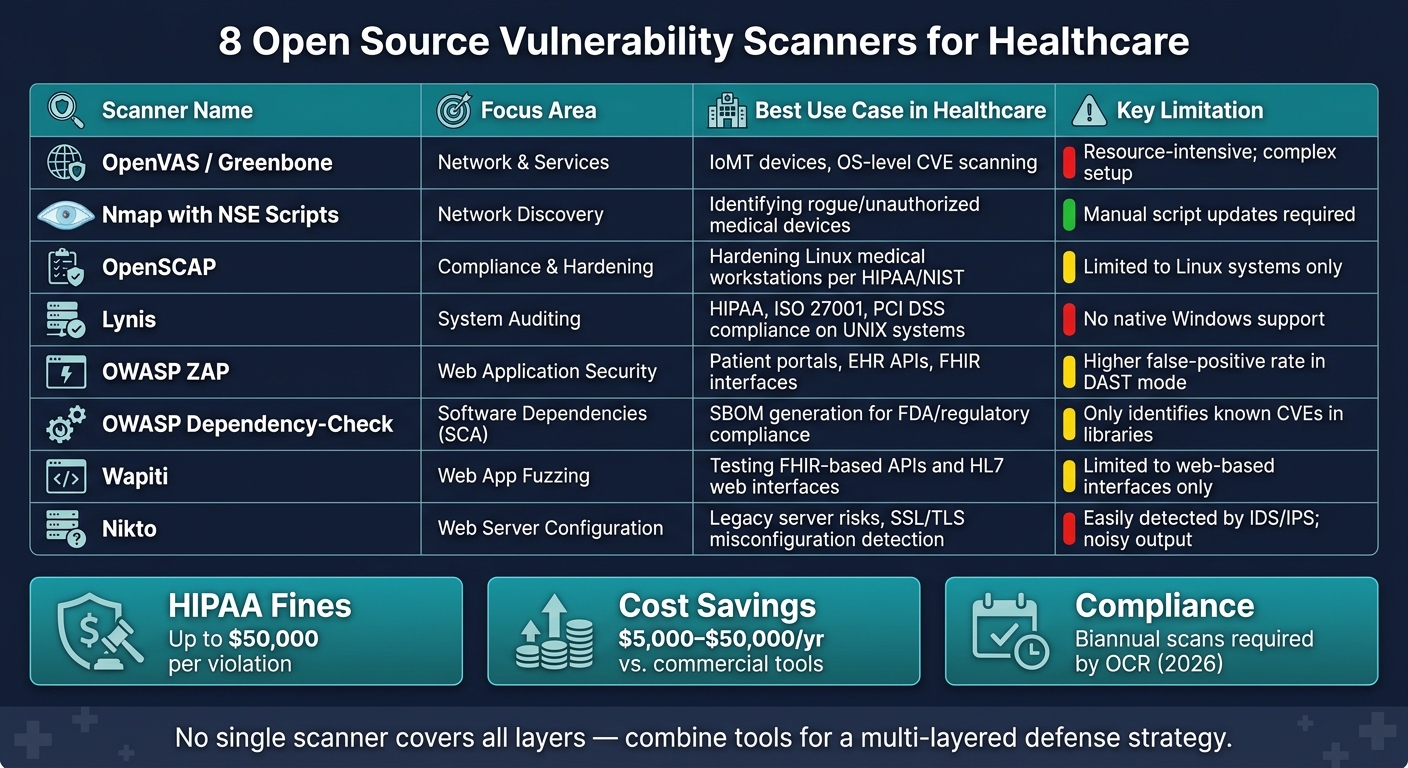
8 Open Source Vulnerability Scanners for Healthcare: Quick Comparison
Comparing Free Vulnerability Assessment Tools: OpenVAS, Qualys, Nessus, and Sn1per
sbb-itb-535baee
Key Criteria for Evaluating Healthcare Vulnerability Scanners
Healthcare scanners have to tackle specific risks head-on. Missing a vulnerability in something like an EHR system or a telehealth portal can lead to exposed PHI, audit failures, or, worst of all, patient harm.
Regulatory alignment is where it all begins. Scanners need to align findings with frameworks like HIPAA, NIST 800-53, and ISO 27001 [5][6]. Another critical feature is authenticated (credentialed) scanning, which goes beyond surface-level checks to assess systems from the inside. This is a must for HIPAA compliance [4]. Beyond that, it's crucial to evaluate the scanner's ability to cover all types of assets in a healthcare environment.
System coverage is non-negotiable. Healthcare IT setups are rarely straightforward - they often include a mix of outdated UNIX servers, cutting-edge Kubernetes clusters, cloud platforms, and IoMT devices like infusion pumps or imaging systems. A scanner that only handles web apps won’t cut it when the attack surface includes everything from unpatched medical device firmware to misconfigured cloud services.
Scanners should also integrate seamlessly into CI/CD pipelines to identify vulnerabilities in application code before it hits production [4]. Plus, SBOM support is becoming a necessity, especially with FDA guidance mandating machine-readable SBOMs [7].
"Untracked OSS and incomplete SBOMs put medical devices at risk; FDA requires machine-readable SBOMs, governance, and monitoring." - Censinet
Finally, reporting quality is what separates the best scanners from the rest. The most effective tools don’t just flood you with data - they offer prioritized risk scores, flag Known Exploited Vulnerabilities (KEVs), and produce audit-ready reports with clear, actionable steps for remediation. This level of detail is essential to meet OCR requirements [3][4].
1. OpenVAS and Greenbone Vulnerability Management
OpenVAS, developed and maintained by Greenbone, is a widely trusted open-source vulnerability scanner, especially popular in healthcare IT. Its versatility allows it to scan a wide range of systems, from legacy UNIX servers and Windows-based clinical workstations to containerized applications and Internet of Medical Things (IoMT) devices. Thanks to its master-sensor architecture, large healthcare organizations can deploy sensors near sensitive clinical systems while managing everything from a centralized console [9][12]. This design ensures thorough scanning across diverse healthcare assets.
OpenVAS aligns with HIPAA standards by performing authenticated scans that verify file integrity, registry settings, and client-side vulnerabilities [9][10]. For fragile clinical equipment, enabling safe_checks allows banner-based detection, which minimizes the risk of disruptive probes during scans [13]. To stay audit-ready, always export compliance reports in GCR PDF format, as this ensures complete documentation during OCR audits [10]. Greenbone also supports scheduled scans, making it easy for healthcare teams to automate weekly audits and meet HIPAA's continuous monitoring requirements [10].
For teams working with modern development workflows, Greenbone integrates seamlessly into CI/CD pipelines. Using its GMP XML-based API and gvm-tools, organizations can automate scan triggers and process results efficiently. Its containerized deployment option also makes it well-suited for microservices-based environments [12][8].
"OPENVAS SCAN integrates directly with your existing security tools to enable automated workflows without any disruption." - Greenbone [8]
OpenVAS prioritizes vulnerabilities using CVSS scores and daily-refreshed EPSS metrics. To reduce false positives, it highlights results with a Quality of Detection (QoD) score of 70% or higher [11].
2. Nmap with NSE Scripts
Nmap is widely recognized as a powerful network port scanner, but its Nmap Scripting Engine (NSE) takes it a step further, transforming it into a versatile tool for quick, targeted CVE verification.
In healthcare settings, specific scripts like smb-vuln-ms17-010 (for EternalBlue) and ssl-heartbleed are especially useful. They focus on vulnerabilities commonly found in older medical devices and encrypted communication channels [16][17]. More advanced scripts, such as DursVulnNSE, incorporate "Layered Application Detection" to extract application versions from HTTP headers, offering deeper insights beyond what standard port scans can provide [17].
Once vulnerabilities are identified, proper formatting of findings becomes vital. The vulns library organizes results by CVE IDs, CVSS scores, and risk levels (High, Medium, Low), ensuring compliance with HIPAA/HITECH audit standards [15]. To focus on critical threats to Protected Health Information (PHI), you can filter results using mincvss=7.0 [18]. For air-gapped networks - where external connections are restricted - tools like vulscan.nse work offline using local CSV databases [14].
"The vulnerabilities library may be used by scripts to report and store vulnerabilities in a common format." - Nmap Scripting Engine Documentation [15]
Integrating Nmap into CI/CD pipelines is straightforward and efficient. By using XML (-oX) or JSON outputs, teams can automate CVE checks and even halt builds if vulnerabilities exceed a set CVSS threshold [4]. For faster scans, consider obtaining a free API key for NVD queries, which can reduce query times from 6 seconds to just 0.6 seconds - a significant advantage for scans triggered during every deployment [18]. To improve accuracy, always use the -sV flag with --version-intensity 9, as many scripts rely on precise version strings for reliable CVE detection [16].
"NSE provides effective lightweight vulnerability scanning capabilities within Nmap. While not as comprehensive as dedicated scanners, it excels at rapid verification and targeted assessments." - Nmap Vulnerability Scanning Guide [16]
In production healthcare environments, safety is paramount. Stick to scripts categorized as safe and vuln. Avoid using intrusive or dos scripts, as they can destabilize older medical devices; these should be reserved for controlled lab environments [16]. Nmap's flexibility highlights the importance of script-based scanning tools in healthcare, laying the groundwork for the compliance-focused scanners discussed next.
3. OpenSCAP
In healthcare, where strict compliance is non-negotiable, OpenSCAP is a standout solution for policy-driven compliance scanning. Unlike tools like Nmap, which focus on quick, targeted checks, OpenSCAP is designed to help healthcare organizations meet and demonstrate HIPAA compliance. It not only verifies compliance but also integrates smoothly with modern DevSecOps workflows.
OpenSCAP offers HIPAA-specific profiles tailored for enterprise Linux distributions like RHEL (Red Hat Enterprise Linux) and SLE (SUSE Linux Enterprise). These profiles go beyond generic security guidelines. For example, the SUSE Linux Enterprise 15 HIPAA profile includes 136 security rules that directly map to HIPAA Security Rule sections, such as 164.312(c) and 164.308(a)(ii)(D) [19][20]. Since HIPAA doesn’t specify exact technical controls, OpenSCAP uses a consensus-based method to align security checks with its requirements.
"HIPAA is a subjective standard that is very focused on policies, training, and processes... a consensus-driven approach is used to map security checks to various HIPAA requirements." - Don Pinto, Technical Product Marketing Manager, Red Hat [21]
OpenSCAP also integrates seamlessly into CI/CD pipelines, enabling proactive risk management and continuous monitoring. For instance, you can apply the HIPAA security profile during the OS installation process with the RHEL Anaconda installer, ensuring systems are hardened before they go live on the network [21]. In containerized environments, tools like oscap-podman allow you to scan Docker and Podman images for compliance. These scans automatically exclude rules irrelevant to containers, such as those related to bare-metal partitioning [22].
Here’s a breakdown of key integration methods and their healthcare applications:
| Integration Method | Tool/Component | Healthcare Use Case |
|---|---|---|
| Container Scanning | oscap-podman / oscap-docker |
Scan microservices before deployment [26] |
| Infrastructure as Code | Ansible Playbooks | Automatically remediate non-compliant servers [25] |
| Image Pipeline | RHEL Image Builder | Create pre-hardened, HIPAA-compliant VM images [27] |
| Remote Audit | oscap-ssh |
Perform agentless scans of remote clinical systems [25] |
Additionally, OpenSCAP generates HTML reports that provide compliance scores, rule rationales, severity rankings, and remediation instructions - exactly the kind of documentation compliance officers need for audits [23][24]. If your organization has unique requirements, the autotailor utility allows you to customize the standard HIPAA profile. For instance, you can adjust settings like minimum password lengths or session timeout durations to meet specific internal policies [22].
4. Lynis
Lynis stands out as a versatile, system-level auditing tool designed for UNIX-based environments, including Linux, macOS, and BSD. Created by CISOfy, Lynis offers a broader scope compared to OpenSCAP, which focuses on policy-driven compliance. This makes Lynis particularly useful for healthcare IT systems, where diverse platforms often coexist.
The tool is tailored for compliance testing with standards like HIPAA, ISO27001, and PCI DSS [28]. It performs over 230 tests per audit, examining critical areas such as boot loader files, firewall rules, file permissions, software packages, and logging configurations. These checks are essential for safeguarding electronic Protected Health Information (ePHI) [29]. After each scan, Lynis provides a Hardening Index (0–100), summarizing the system's security posture.
"Assists with compliance testing (HIPAA/ISO27001/PCI DSS) and system hardening. Agentless, and installation optional." - CISOfy [28]
One of Lynis's major strengths is its minimal impact on the system. As an agentless tool, it doesn't require installation and can run directly from a Git clone or USB drive. This is a critical feature in clinical settings where modifying production servers can pose risks. To ensure comprehensive scans, run Lynis with sudo and download it from the official CISOfy repository [29].
For automation, Lynis supports non-interactive profiles like developer.prf and provides exit codes (e.g., Code 78), enabling integration into CI/CD pipelines to block vulnerabilities before production [28]. Healthcare administrators can also schedule audits using cron jobs, with results stored at /var/log/lynis-report.dat for compliance tracking [29].
Lynis offers two levels of reporting. The open-source version generates logs in /var/log/lynis.log and /var/log/lynis-report.dat, which are ideal for internal reviews and third-party vendor risk assessments [29]. For organizations needing more advanced features, the Enterprise version includes centralized dashboards, risk-based improvement plans, and formal compliance documentation, supported by CISOfy [28]. This makes Lynis a flexible choice for healthcare environments focused on system hardening and compliance.
| Feature | Lynis Open Source | Lynis Enterprise |
|---|---|---|
| Compliance Focus | HIPAA, ISO27001, PCI DSS | HIPAA, ISO27001, PCI DSS, GDPR |
| Interface | Command Line (CLI) | Web Interface & Dashboard |
| Reporting | Hardening Index / Text logs | Risk-based Improvement Plans |
| Support | Community / GitHub | Commercial Support |
5. OWASP Zed Attack Proxy (ZAP)
OWASP ZAP is a Dynamic Application Security Testing (DAST) tool that helps uncover vulnerabilities in live web applications. In healthcare, it's especially useful for analyzing systems like patient portals, Electronic Health Record (EHR) APIs, and FHIR-based interfaces - platforms where breaches could compromise Protected Health Information (PHI). ZAP is capable of detecting over 117 types of vulnerabilities, including SQL injection, Cross-Site Scripting (XSS), and Remote Code Execution (RCE). It also identifies instances of Personally Identifiable Information (PII) exposure and sensitive network data leaks [32]. Its integration and reporting features make it easier to stay compliant with healthcare regulations.
The importance of vulnerability scanning is clear under OCR guidelines.
"In 2026, the OCR is treating vulnerability scanning as a non-negotiable control: Minimum frequency: Two complete scans per year (biannual)." - Joe Gellatly, Healthcare IT & HIPAA Compliance Expert [4]
ZAP's authenticated scanning capabilities include support for JSON, form, and script-based authentication, which allows for post-breach testing that aligns with OCR audit requirements [30].
For developers, ZAP integrates smoothly into DevSecOps workflows through its YAML-based Automation Framework, official Docker images, and GitHub Actions. It supports various scan types, including baseline, full, and API scans. For healthcare systems like EHR and PACS, the API Scan mode can import OpenAPI/Swagger specifications to test endpoints for vulnerabilities such as SQL injection and authentication bypass [32][33]. Combining static analysis (SAST) insights with ZAP's dynamic tests can optimize efficiency, reducing HTTP requests by 87% and cutting pipeline execution time from 58 minutes to just 7 minutes - all without compromising detection accuracy [31].
To simplify audit documentation, ZAP generates detailed reports in formats like XML, HTML, JSON, SARIF, and PDF. These reports include essential details such as scan date, scope, severity levels, CWE IDs, and remediation recommendations, making them invaluable for OCR audits [4]. By embedding into DevSecOps pipelines, ZAP supports continuous security monitoring across healthcare environments.
| Scan Type | Best Use Case | Key Healthcare Benefit |
|---|---|---|
| Baseline Scan | Production monitoring | Quick, passive check for missing security headers and PII leaks |
| API Scan | EHR/PACS integration | Tests documented endpoints for SQL injection and authentication bypass using OpenAPI |
| Full Active Scan | Pre-deployment/staging | Comprehensive testing of all endpoints with attack payloads |
| Guided Scan | CI/CD pipelines | Delivers feedback 8x faster by focusing on changed or high-risk code paths [31] |
6. OWASP Dependency-Check
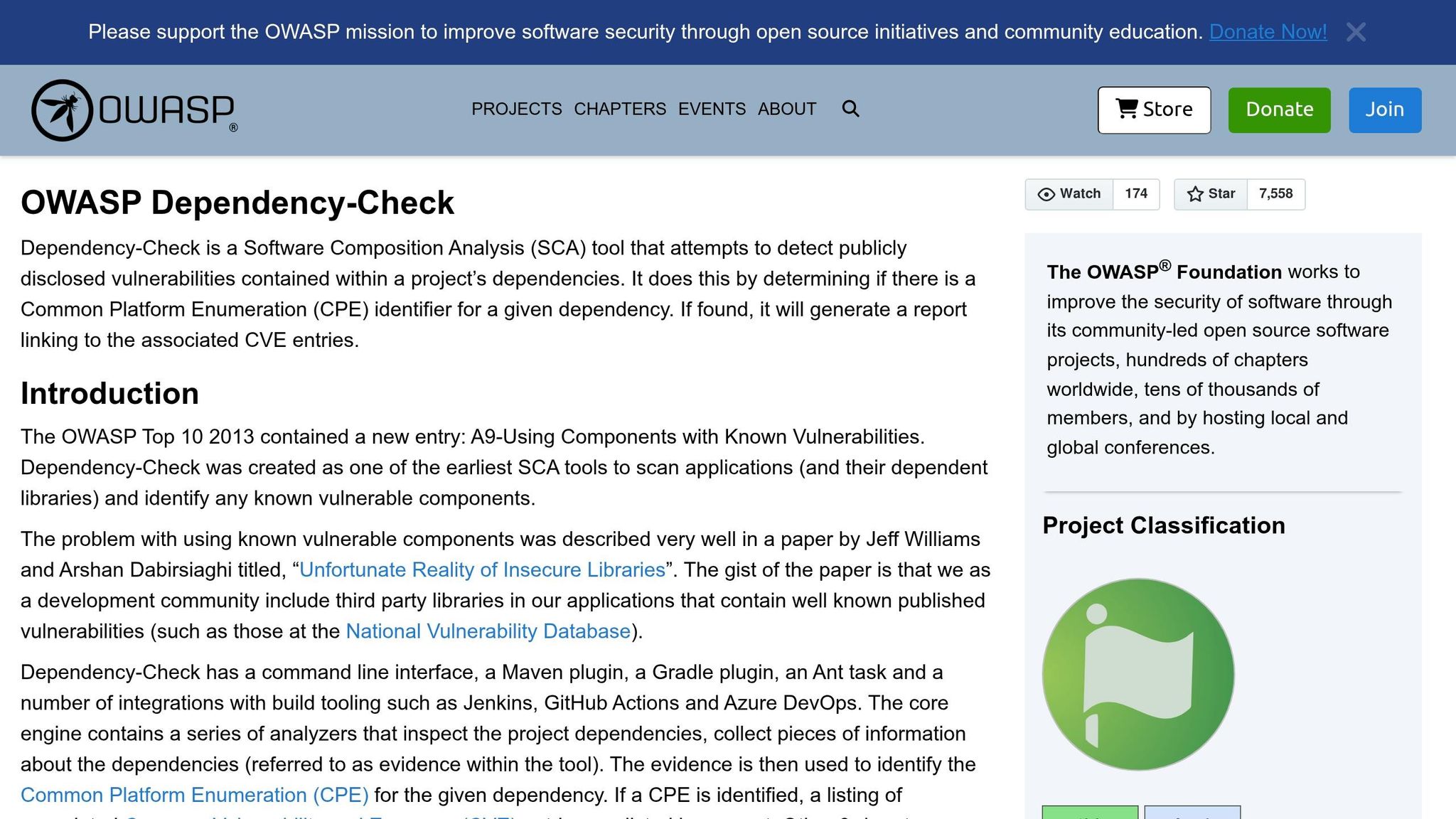
OWASP Dependency-Check tackles a critical issue in healthcare applications: vulnerabilities in third-party libraries and components. Unlike OWASP ZAP, which focuses on live web app testing, this tool zeroes in on the risks hidden in your project's dependencies. It works as a Software Composition Analysis (SCA) tool, mapping these dependencies to known CVEs (Common Vulnerabilities and Exposures) using Common Platform Enumeration identifiers and pulling data from the National Vulnerability Database. While it’s designed primarily for Java and .NET, it also offers experimental support for Python, Ruby, PHP, and Node.js - covering many frameworks commonly used in clinical applications.
This tool plays a vital role in meeting regulatory requirements. It addresses OWASP Top 10 category A9 (Using Components with Known Vulnerabilities) and aligns with OWASP ASVS section V14.2. Integrating Dependency-Check early in the development lifecycle can yield significant benefits. For instance, organizations have reported up to a 40% reduction in high-severity vulnerabilities when using SCA tools proactively [38].
"A dependency vulnerability analyzer should be mandatory in every build process. You owe it to your users." - John Hoestje, Software Architect [37]
For DevSecOps teams, Dependency-Check integrates seamlessly into existing workflows. It supports tools like Maven, Gradle, and Ant, and offers integrations for Jenkins, GitHub Actions, and Azure DevOps. You can configure the failBuildOnCVSS threshold - setting it to 7.0 during development or 9.0 for production releases - to block deployments with critical vulnerabilities. Be sure to use an NVD API key in CI environments to avoid delays caused by rate limiting; without it, initial data downloads can take over 10 minutes [36].
The tool’s reporting capabilities are both clear and audit-ready. It generates reports in multiple formats - HTML, XML, JSON, CSV, and SARIF - all of which link dependencies directly to specific CVEs. For compliance with standards like HIPAA and HITRUST, the suppression file feature allows you to document and justify false positives, creating a transparent audit trail. Interestingly, HITRUST-certified organizations reported an impressively low breach rate of just 0.59% in 2024 [39].
| Report Format | Best Used For |
|---|---|
| HTML | Manual review and sharing with stakeholders |
| XML / JSON | Feeding results into vulnerability management platforms |
| SARIF | Uploading findings to GitHub Security or Azure DevOps |
| CSV | Spreadsheet-based compliance tracking |
For organizations aiming to adopt SBOM (Software Bill of Materials)-driven supply chain risk management, Dependency-Check complements OWASP Dependency-Track. Together, they help meet requirements under U.S. Executive Order 14028 [34]. When paired with cdxgen for CycloneDX SBOM generation, it equips healthcare teams to navigate increasingly stringent expectations around software supply chain transparency [1]. With these capabilities in place, you’re well-prepared to take your security scanning to the next level.
7. Wapiti
Next in our review is a tool that excels in dynamic, black-box scanning.
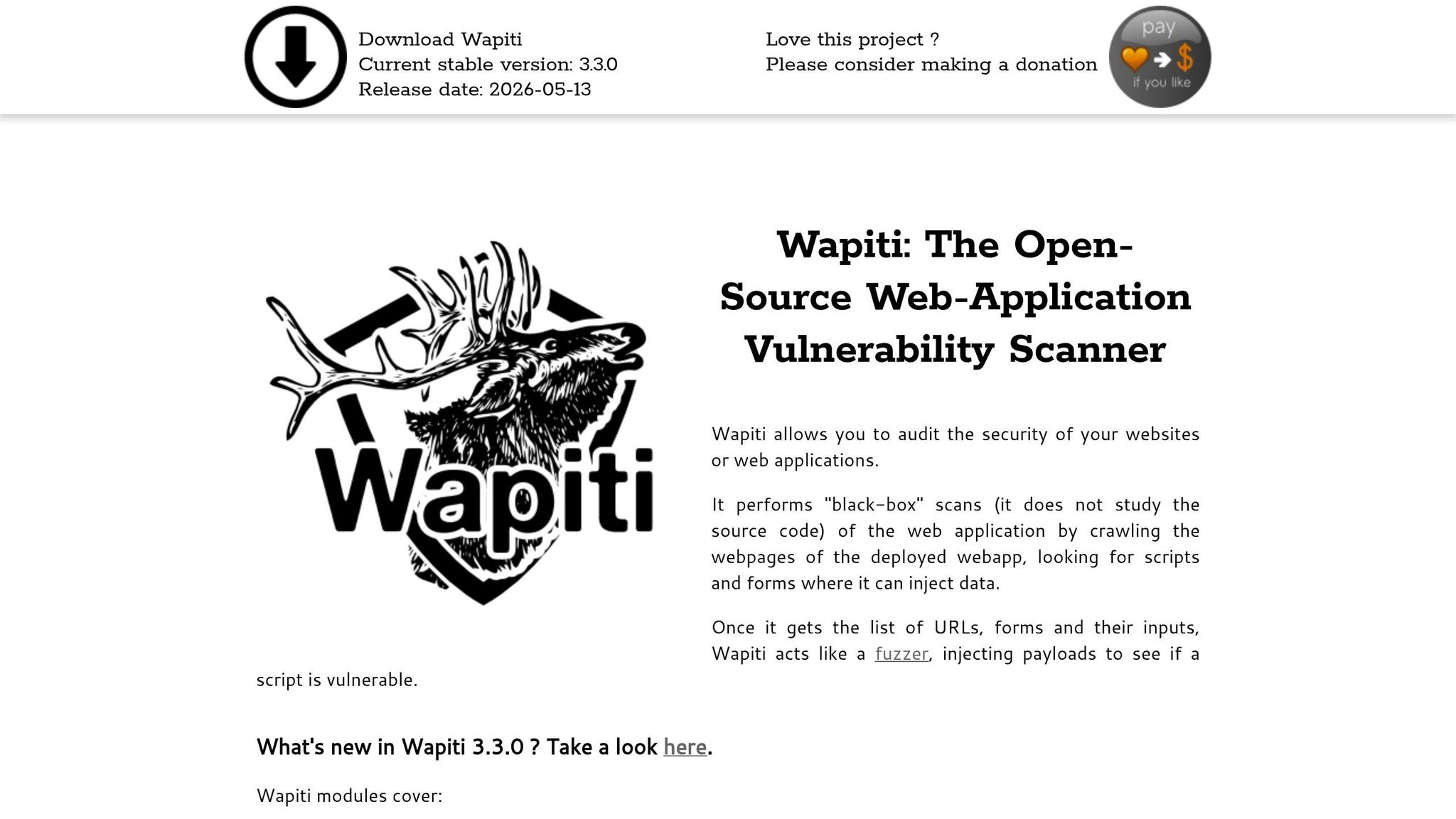
Wapiti specializes in auditing web applications through black-box crawling and input fuzzing, making it ideal for scenarios where source code isn’t accessible. This is especially useful for healthcare teams assessing patient portals, electronic health record (EHR) interfaces, or third-party clinical applications.
As Nicolas Surribas, the creator of Wapiti, explains:
"Wapiti allows you to audit the security of your websites or web applications. It performs 'black-box' scans... looking for scripts and forms where it can inject data." [40]
Wapiti comes equipped with over 30 attack modules designed to uncover vulnerabilities critical to protecting PHI (Protected Health Information). These include SQL injection, cross-site scripting (XSS), server-side request forgery (SSRF), and even high-profile threats like Log4Shell (CVE-2021-44228, rated 10.0 by NIST) [41]. Its stored XSS detection is particularly valuable, preventing persistent malicious scripts from compromising multi-user environments like patient portals. Another standout feature is its ability to identify web-enabled medical IoT devices.
The tool also supports Swagger/OpenAPI, which allows it to target REST API endpoints used for EHR data exchange. This approach ensures API-specific vulnerabilities are identified, which standard page crawling might overlook. Additionally, the browser cookie import feature enables authenticated scans, crucial for assessing secure areas containing PHI.
For teams integrating security into their CI/CD pipelines, Wapiti supports command-line and Docker-based workflows. Options like --max-scan-time, --max-attack-time, and --modules simplify automated testing. Suphi Cankurt, an AppSec expert, emphasizes the importance of the --modules flag:
"The --modules flag is the workhorse for CI scans - narrow it to the OWASP-Top-10 categories your team actually triages, and Wapiti finishes a small site in minutes." [41]
When it comes to compliance documentation, Wapiti generates reports in multiple formats, including HTML, JSON, XML, CSV, TXT, and Markdown. For HIPAA risk analysis under §164.308(a), the --detailed-report 2 flag is invaluable. It captures complete HTTP request and response data, providing auditors with concrete evidence of vulnerabilities [42]. JSON output can also integrate directly into vulnerability management tools. However, Wapiti does not include a built-in HIPAA-specific report template, so findings must be mapped manually to regulatory controls or incorporated into a broader risk management framework.
| Feature | Healthcare Utility |
|---|---|
| Swagger/OpenAPI Support | Secures REST APIs used for EHR data exchange |
| Stored XSS Detection | Protects patient portals from persistent malicious scripts |
| Network Device Detection | Identifies web-enabled medical IoT and connected devices |
--detailed-report 2 Flag |
Captures full HTTP evidence for HIPAA audit documentation |
| Authentication Support | Enables scanning of secure areas containing PHI |
8. Nikto
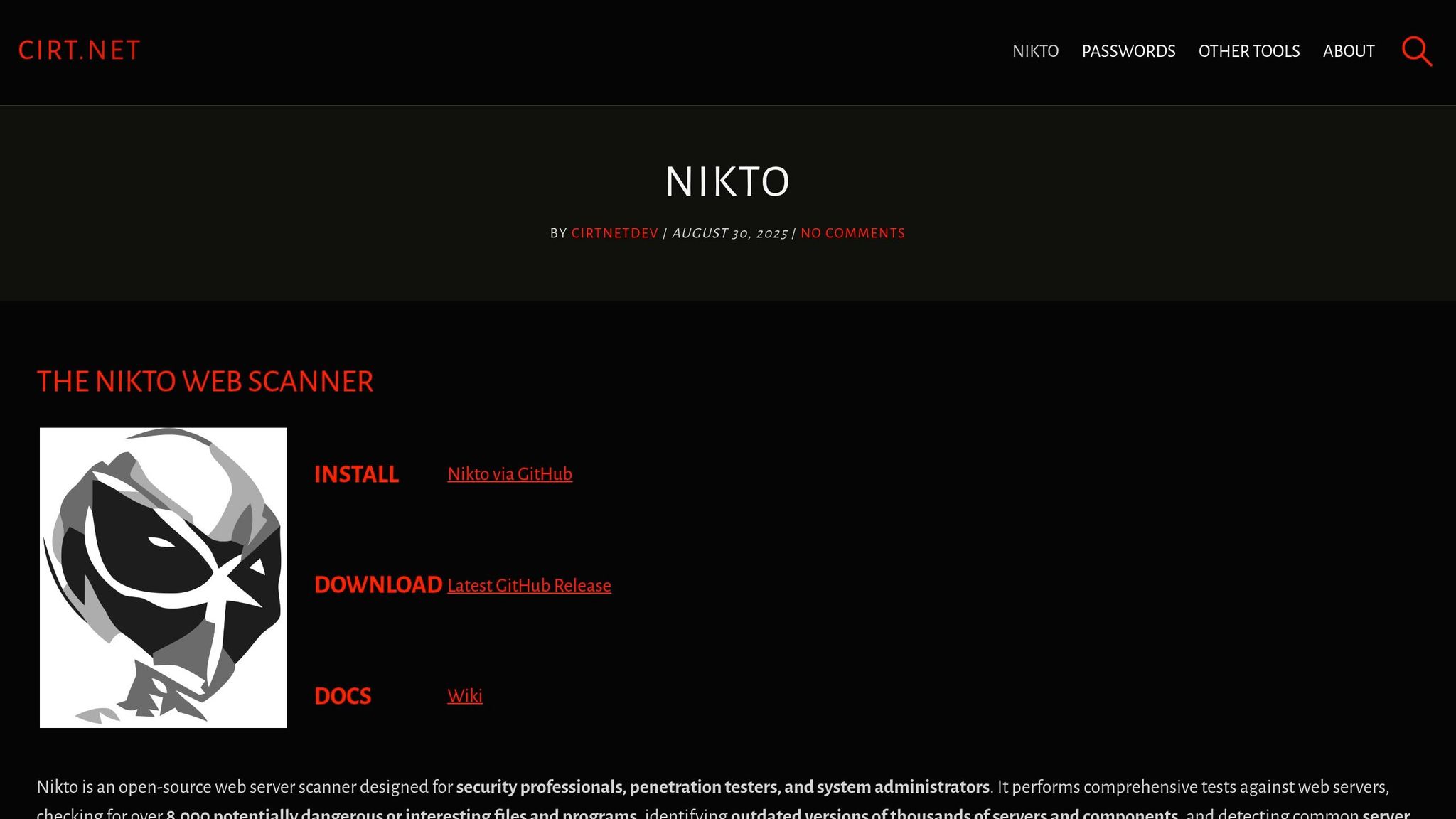
Closing out this list is Nikto, a tool designed for rapid server-level reconnaissance.
Nikto operates as a command-line scanner capable of performing over 8,000 checks to detect dangerous files, outdated software, and misconfigurations [44]. Unlike some other tools, Nikto zeroes in on the infrastructure layer that supports your healthcare systems rather than application logic. As Chris Sullo, the maintainer of Nikto, explains:
"The goal of the project is to examine a web server to find potential problems and security vulnerabilities, including... pointers to lead a human tester to better manual testing." [45]
Nikto’s extensive checks are particularly effective in identifying issues within the server infrastructure of healthcare systems. It can spot exposed admin panels (e.g., /admin/, /phpinfo.php), unsafe HTTP methods like PUT and DELETE, and weak SSL/TLS configurations. These include expired certificates and outdated protocols such as SSLv3 or TLS 1.0, which fail to meet HIPAA and HITRUST standards for protecting PHI in transit [44]. The 2.6.0 release in February 2026 introduced a Domain Specific Language (DSL) for more precise vulnerability detection and improved scan speeds by roughly 10% [46].
For DevSecOps teams, Nikto integrates seamlessly into CI/CD pipelines using its official Docker image (ghcr.io/sullo/nikto:latest), which bypasses Perl dependency issues in pipeline environments [43]. The -Tuning 123 flag allows users to concentrate on critical files, misconfigurations, and data exposure risks relevant to healthcare, avoiding noisier tests that might interfere with clinical workflows [44]. AppSec Specialist Suphi Cankurt advises:
"Think of Nikto as a fast reconnaissance pass before ZAP, Burp Suite, or template-based scanners like Nuclei." [44]
Nikto supports seven output formats - including JSON, XML, HTML, CSV, SQL, SQLd, and plain text - providing flexibility for compliance reporting and integration into audit dashboards [44][47]. SQL and SQLd formats are particularly useful for maintaining long-term scan records in MySQL or PostgreSQL databases, aiding HIPAA audit trails. However, Nikto has a notable limitation: it cannot handle complex login forms or execute JavaScript. For application-layer PHI testing, pairing it with a full DAST scanner such as OWASP ZAP is recommended [44][48].
Below is a summary of Nikto’s key features and their relevance to healthcare:
| Feature | Nikto Capability | Healthcare Relevance |
|---|---|---|
| Checks | 8,000+ server-side tests | Identifies vulnerabilities in PHI-hosting infrastructure |
| SSL/TLS | Ciphers, certificates, HSTS | Ensures secure PHI transmission per HIPAA/HITRUST |
| Output Formats | JSON, XML, HTML, CSV, SQL, SQLd, Text | Supports audit documentation and CI/CD integration |
| Evasion Techniques | 10 built-in methods | Tests WAF/IDS effectiveness |
| Tuning Flag | 13 categories (-Tuning) |
Enables non-disruptive scanning of clinical systems |
Comparison Table
Each scanner focuses on a specific aspect of the healthcare technology stack. When combined, they create a multi-layered defense strategy to protect healthcare systems effectively.
The table below outlines the core features and limitations of each scanner, offering a quick reference for building a layered security approach.
| Scanner | Primary Focus | Deployment | Healthcare Strength | Key Limitation |
|---|---|---|---|---|
| OpenVAS / Greenbone | Network & services | Docker, Linux server | IoMT firmware and OS-level CVE detection [2] | Resource-intensive; complex initial setup |
| Nmap with NSE Scripts | Network discovery | CLI, cross-platform | Mapping rogue or unauthorized medical devices | Requires manual script updates |
| OpenSCAP | Compliance & hardening | Local agent (Linux) | Hardening Linux-based medical workstations per HIPAA/NIST | Limited to Linux-based systems |
| Lynis | System auditing | Local script (Unix) | Built-in HIPAA, ISO 27001, and PCI DSS compliance checks [5] | No native Windows support |
| OWASP ZAP | Web application security | Desktop GUI, Docker, CI/CD | Securing patient portals and web-based EHRs | Higher false-positive rate in DAST mode |
| OWASP Dependency-Check | Software dependencies (SCA) | CI/CD plugin, CLI | SBOM generation for FDA and regulatory compliance [35] | Only identifies known CVEs in libraries |
| Wapiti | Web app fuzzing | CLI (Python) | Testing FHIR-based APIs and HL7 web interfaces | Limited to web-based interfaces |
| Nikto | Web server configuration | CLI (Perl) | Detecting legacy server risks and SSL/TLS misconfigurations | Easily detected by IDS/IPS; noisy output |
This table highlights the strengths and limitations of each tool, emphasizing the need for a layered scanning strategy. For instance, OpenVAS and Nmap are ideal for the network layer, while OpenSCAP and Lynis focus on host hardening. ZAP and Wapiti target web applications, and Dependency-Check ensures software supply chain security. Nikto serves as a quick reconnaissance tool before diving into deeper scans.
One challenge is managing the diverse outputs from these tools. Without centralized analysis, teams may face alert fatigue or overlook critical issues. Platforms like Censinet RiskOps™ can simplify this by aggregating scan results and mapping findings to HIPAA and HITECH standards. By integrating these tools and leveraging a centralized platform, healthcare organizations can streamline their risk management processes while ensuring compliance.
Conclusion
No single scanner can address every aspect of security. The eight tools discussed here each strengthen specific layers of protection - ranging from network services and medical device discovery to web application testing and software supply chain vulnerabilities. However, the real challenge isn't just running these tools; it's interpreting their results and acting on them effectively.
Scanning alone doesn’t solve the problem. Raw CVE counts, for example, don’t tell you which vulnerabilities pose the greatest risks to patient safety or sensitive health information (PHI). To prioritize effectively, use contextual risk metrics instead of relying solely on generic CVSS scores. Consider factors like system exposure, data sensitivity, and clinical impact. Public resources such as CISA’s Known Exploited Vulnerabilities (KEV) catalog and the Exploit Prediction Scoring System (EPSS) can further refine your focus by highlighting threats most likely to be exploited.
Scanner results only become meaningful when they’re part of a structured risk management program. This involves categorizing vulnerabilities based on their potential impact on clinical operations and PHI, assigning clear accountability, tracking remediation efforts, and maintaining thorough, audit-ready documentation. Tools like Censinet RiskOps™ make this process more manageable by mapping scanner findings to HIPAA and HITECH requirements, ensuring better visibility and control over enterprise risks.
The ultimate goal isn’t just meeting compliance standards - it’s about protecting the systems that clinicians and patients rely on every day. A disciplined approach that combines a multi-tool scanning strategy with a well-organized risk management plan is a practical way to safeguard critical clinical systems.
FAQs
How often should healthcare organizations run vulnerability scans for HIPAA?
Healthcare organizations will need to perform vulnerability scans at least every six months starting in 2025 to align with HIPAA requirements. Beyond these regular scans, it's also crucial to conduct additional scans whenever significant changes are made to systems. This ensures both compliance with regulations and the continued security of sensitive data.
Which scanners should I combine to cover networks, servers, web apps, and dependencies?
To ensure robust security for networks, servers, web applications, and their dependencies, consider using a mix of these scanners:
- OSV-Scanner: Identifies vulnerabilities in software components and dependencies.
- Grype: Focuses on scanning container images and filesystems for potential risks.
- Trivy: Covers web applications, containers, and infrastructure as code.
- Vuls: Provides agentless scanning for servers, specifically Linux and FreeBSD systems.
Using this combination helps create a thorough security framework tailored to healthcare applications and infrastructure.
How do I prioritize scan findings that could impact PHI and patient safety?
To address findings that impact PHI and patient safety, it's crucial to take a risk-based approach. This means evaluating both the technical severity of vulnerabilities and their potential clinical impact. Pay special attention to high-risk assets such as life-support systems and EHRs (Electronic Health Records), as issues in these areas can directly endanger patients or disrupt critical workflows.
When setting priorities, align your efforts with HIPAA requirements and the specific clinical context of your organization. For critical vulnerabilities, establish tight remediation timelines to ensure patient safety and safeguard sensitive data. Balancing technical and clinical factors in this way helps maintain both operational integrity and compliance.

